
Algodoo Play Guide: Draw, Drop, and Discover Motion
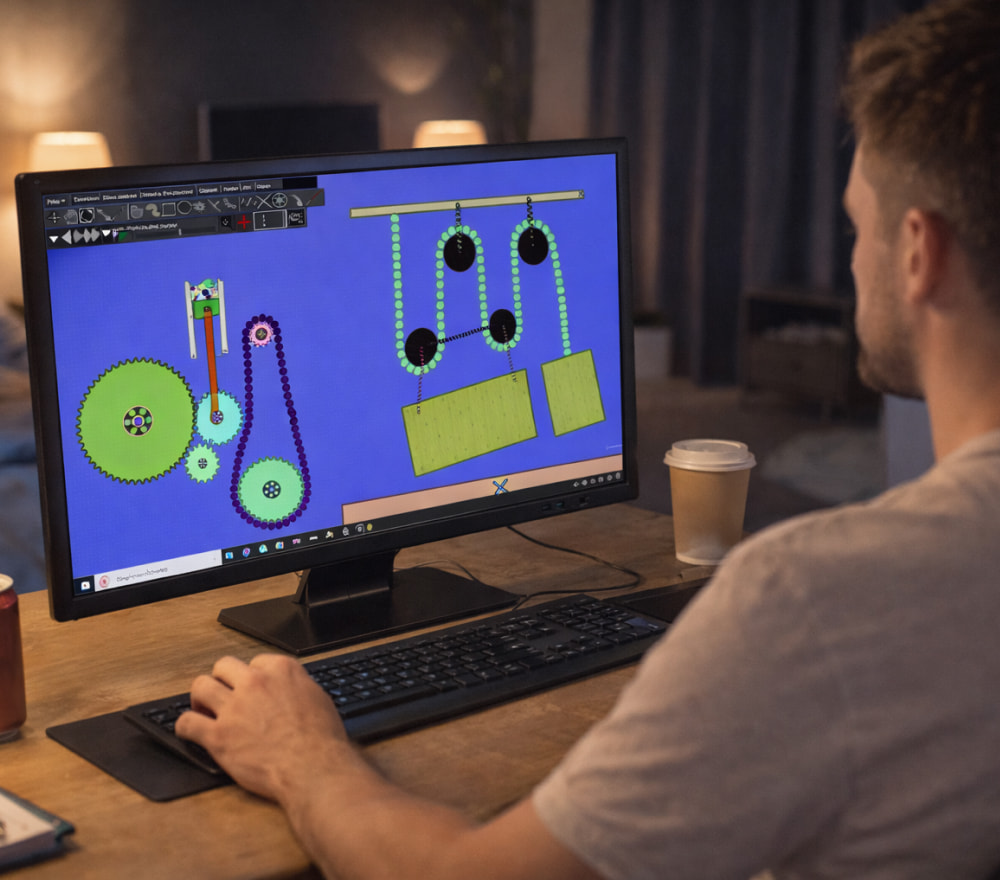
Play Algodoo Game for Free on PC
Download NowAlgodoo is a physics sandbox where you can sketch shapes, add joints, apply forces, and watch realistic motion unfold in real time. It’s popular with students, teachers, and makers because it turns abstract concepts like friction, density, and angular momentum into something you can see and tweak instantly.
Before you start, define your goal: are you exploring basic mechanics, designing a Rube Goldberg chain, or prototyping a simple machine? Many newcomers search for Algodoo free-to-play as a quick way to try the experience in a low-pressure setting.
Getting Started in Minutes
The fastest learning path is hands-on: open a blank scene, draw a few shapes, and experiment with gravity and materials. People often describe the first session as an Algodoo game for free to play because creating wild contraptions feels like play even when you’re learning.
- Create a new scene and set your workspace scale (small objects behave differently than large ones).
- Draw two rectangles: one as a floor and one as a block; press play to test gravity.
- Adjust material properties like friction and restitution to see how motion changes.
- Add a circle, then apply a force to explore rolling vs. sliding behavior.
Tip: Make one change at a time, then run the simulation again small, controlled edits teach you faster than big redesigns.
Core Controls and Tools You’ll Use Most
To keep early experiments simple, focus on a small set of tools: draw, move, rotate, and hinge/joint. If you want a quick practice routine, Algodoo play for free can be approached like a daily challenge: build one mechanism per session and improve it.
- Draw tools: Create polygons, circles, and freehand shapes for bodies and obstacles.
- Transform tools: Move, rotate, resize, and align components with precision.
- Joints: Use hinges for wheels, sliders for pistons, and springs for suspension-like behavior.
- Materials: Modify density, friction, bounciness, and transparency for better testing visibility.
About “No Download” and “Online” Claims
Some websites advertise Algodoo free-to-play no download as a convenience, but it’s wise to verify what’s official and what is simply a web label applied by third-party portals.
Similarly, you may see Algodoo online play no download in search results, so treat it as a prompt to double-check safety: prefer trusted sources, scan files, and avoid suspicious installers or repackaged archives.
If you’re using a school or shared computer, ask an admin about install permissions and allowed software sources. That small step prevents common issues like missing write access, blocked executables, or incomplete installs.
Build Your First Real Project
A great first project is a simple marble run with a gate, a drop, and a landing zone. When you feel ready to test quickly, Algodoo play now fits perfectly into an iterative workflow: build a short section, simulate, then refine.
Project idea checklist:
- Start with a stable base and add slopes gradually.
- Use rails (thin static shapes) to keep marbles on track.
- Add a trigger (like a lever) to make the scene interactive.
- Measure outcomes: distance traveled, speed at impact, or time to reach the finish.
Learning Physics Without the Boredom
To study concepts systematically, turn on visual aids (like velocity vectors) and compare results across small variations. If you’re researching classroom-friendly options, Algodoo free-to-play online is sometimes used as shorthand in discussions, but the best learning still comes from reliable access and repeatable experiments.
| Concept | What to Change | What to Observe |
|---|---|---|
| Friction | Increase/decrease surface friction | Sliding distance, stopping time |
| Restitution | Adjust bounciness of a ball | Bounce height and energy loss |
| Mass & Density | Change density of similar shapes | Acceleration, momentum, collisions |
| Torque | Apply force off-center on a lever | Rotation speed and direction |
Make Scenes Easier to Test and Share
Use clean naming for parts, keep related objects grouped, and save versions as you go (v1, v2, v3). When you want to start a quick demo session with minimal setup, Algodoo play now for free can be framed as “open a saved scene and run tests” rather than rebuilding from scratch.
Workflow trick: Save a “test bench” scene with measurement tools and common parts, then copy new designs into it for consistent comparisons.
Troubleshooting Common Problems
- Scene explodes or jitters: Reduce overlap between objects, lower forces, and check joint constraints.
- Performance drops: Simplify shapes, reduce object count, and avoid extremely high simulation steps.
- Objects pass through each other: Increase simulation accuracy settings and reduce extreme velocities.
- Nothing moves: Confirm gravity is enabled and objects are not set as static.
If you see claims like play Algodoo for free no download while troubleshooting, focus on practical steps first: confirm your version, validate your source, and keep your system updated.
Creative Challenges to Level Up
Once you’re comfortable, try a weekly challenge: design a bridge that holds weight, a pendulum clock, or a car that climbs a ramp. Community discussions sometimes use Algodoo online play as a broad phrase, yet your best results will come from controlled experiments you can repeat and refine.
To wrap up, share your scene with a short description of what you tested and what you learned; when friends ask how to join in, play Algodoo online can be a conversation starter, but your guide should always point them to safe, trustworthy ways to access the software and files.